How to setup Google Analytics 4 (GA4) using Google Tag Manager (GTM)
Google Analytics 4 (GA4) has lots of great features. In fact, it has lots of capabilities compared to its predecessor, Universal Analytics


Google Analytics 4 (GA4) has lots of great features. In fact, it has lots of capabilities compared to its predecessor, Universal Analytics

Looker Studio is a powerful tool. You can use it to create data visualizations that help businesses make better decisions

Google Analytics 4 is, without a doubt, one of the top analytics solutions in the world. It boasts some industry-leading features

Looker Studio ensures that you can easily visualize your reports. This has made it a favorite among marketers and business professionals

Google has provided us with lots of data tools over the years. One such tool is Google Looker Studio
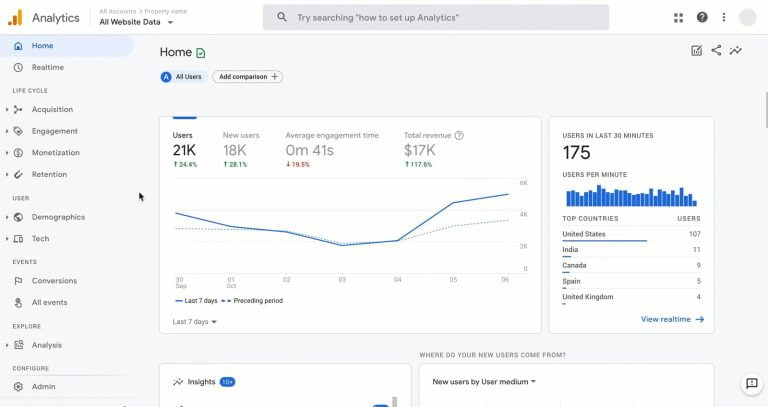
How can you get more sales and effective advertisements for your business? By using audience segments on Google Analytics 4

Released in 2020, Google Analytics 4 has businesses staring down a long list of endless possibilities and opportunities

Google Analytics 4 has taken over from Universal Analytics. It’s the next generation of analytics from Google.

In this article, you will learn how Google Analytics 4 is better than its predecessor, its features and benefits, and how to get started with GA4.

At Digital Analyst Team, we specialize in Google-certified analysts delivering white label digital marketing services in the USA, using a tech-driven approach that improves efficiency for over 25 agencies
© 2026 | Digital Analyst Team
950 Milwaukee Avenue Suite #228 Glenview IL 60025